Cinematic Reference-Based Urban Portrait
Create a cinematic, ultra-realistic portrait using a supplied photo as the exact face reference. The outfit, phone, city-light background, and portrait details are specified in the prompt.
Example outputs
Prompt template
- Format
- Text
- Inputs
- Reference_photo (image) · Required
- Outputs
- Portrait (image)
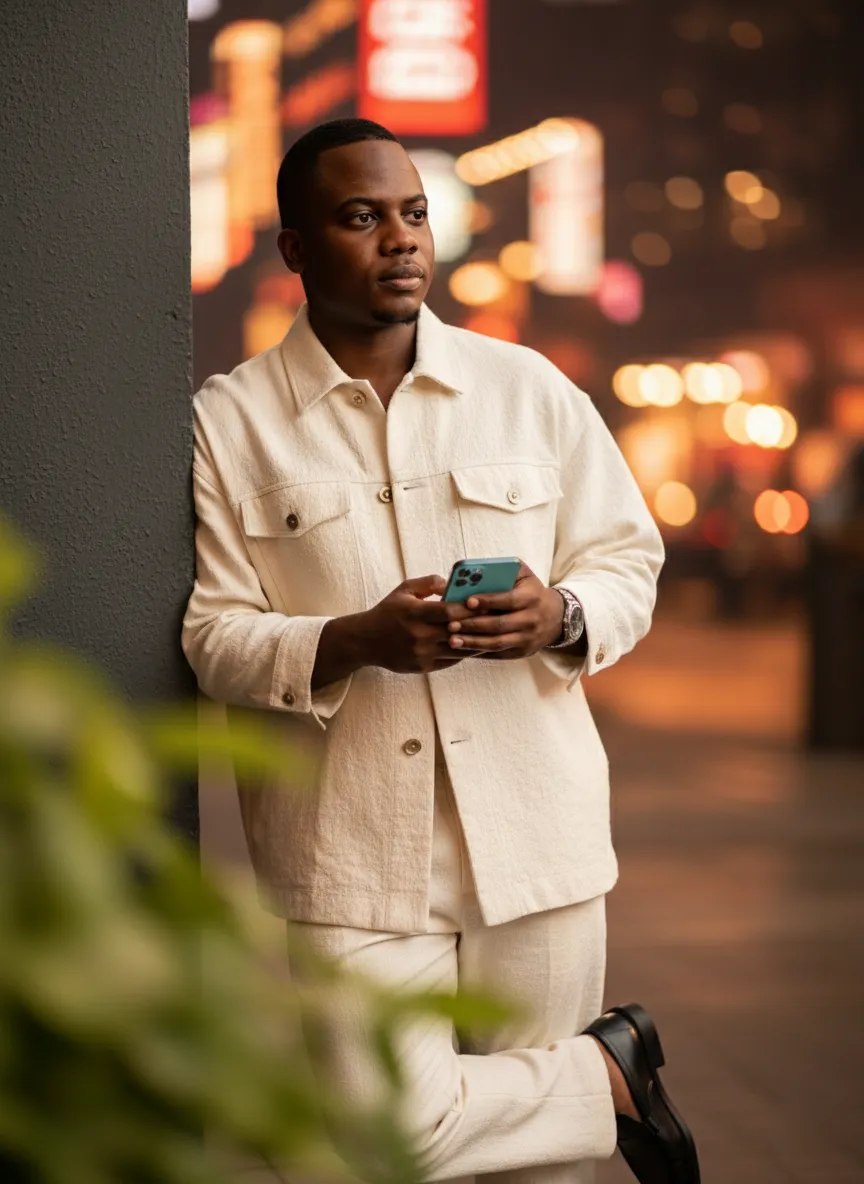
Using the uploaded photo as the exact and unchanged face reference, create an ultra-realistic 8K portrait of the same person. Keep the face 100% identical to the reference. The person is wearing an oversized handmade outfit, black shoes, and a silver watch. They are holding a cyan-blue iPhone 14 and leaning casually against a wall. Their expression is thoughtful, and they are looking slightly off-camera. The foreground features softly blurred green leaves, creating depth. The background shows vibrant city lights with a warm cinematic bokeh effect. The lighting emphasizes flawless, glowing skin, giving the portrait a rich and realistic atmosphere. The person faces the camera, with a cinematic mood, warm tones, and professional studio-quality depth of field. Do not alter the person’s facial features; keep them exactly as they are in the reference photo.What you'll create
This prompt creates an ultra-realistic portrait of the person in a supplied reference photo, with their face specified to remain unchanged. The person wears an oversized handmade outfit and silver watch, holds a cyan-blue iPhone 14, and is framed by blurred leaves and warm city lights.
Usage instructions
Provide the reference photo whose face should be preserved, since the portrait depends on it. The prompt specifies the clothing and props; you can change the phone or outfit wording to adjust the styling while keeping the face-reference requirement.
Frequently asked questions
What should the reference photo control?
Use it as the exact face reference; the prompt asks that the person’s facial features remain unchanged.
Can I change the phone?
Yes. Replace the cyan-blue iPhone 14 detail with the phone and color you want shown.




Comments
Tried this prompt? Share what you made, compare results, or ask a question