Torn-Paper Collage Poster
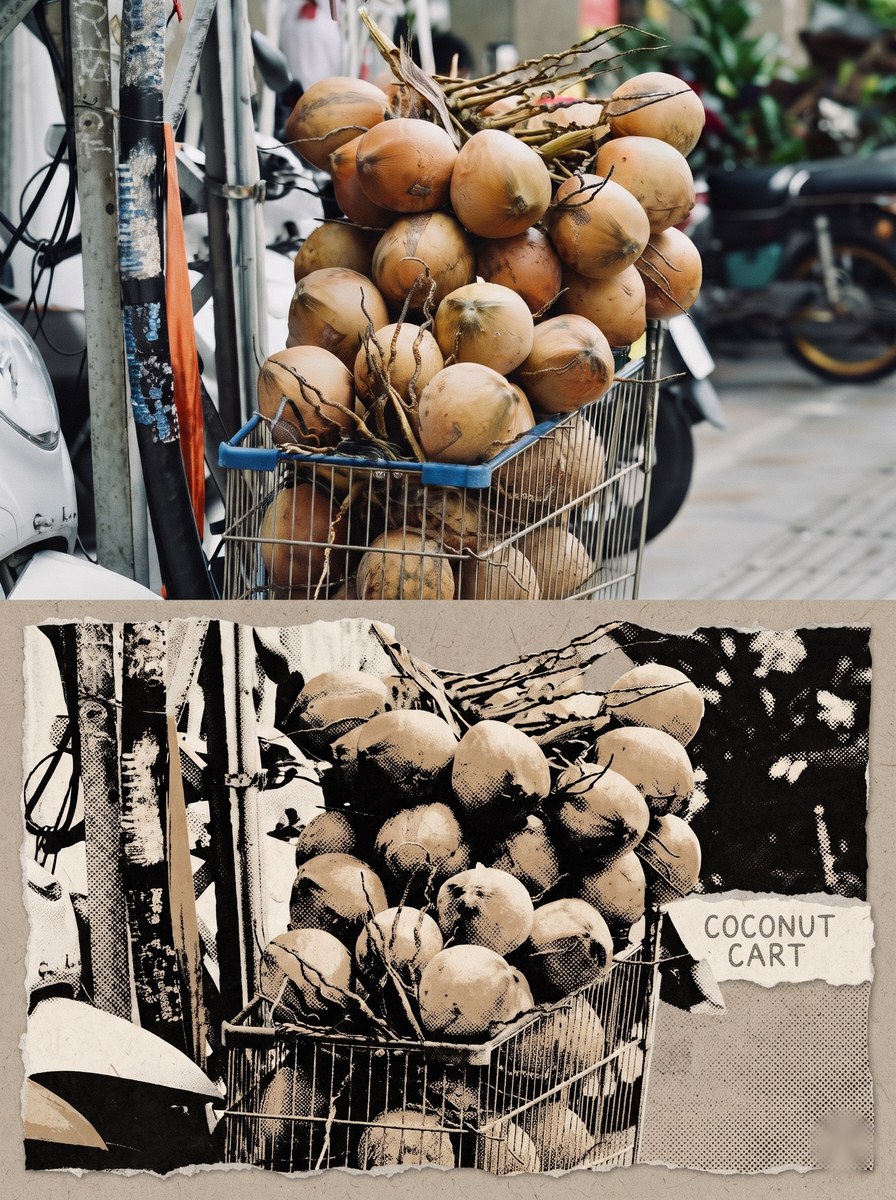
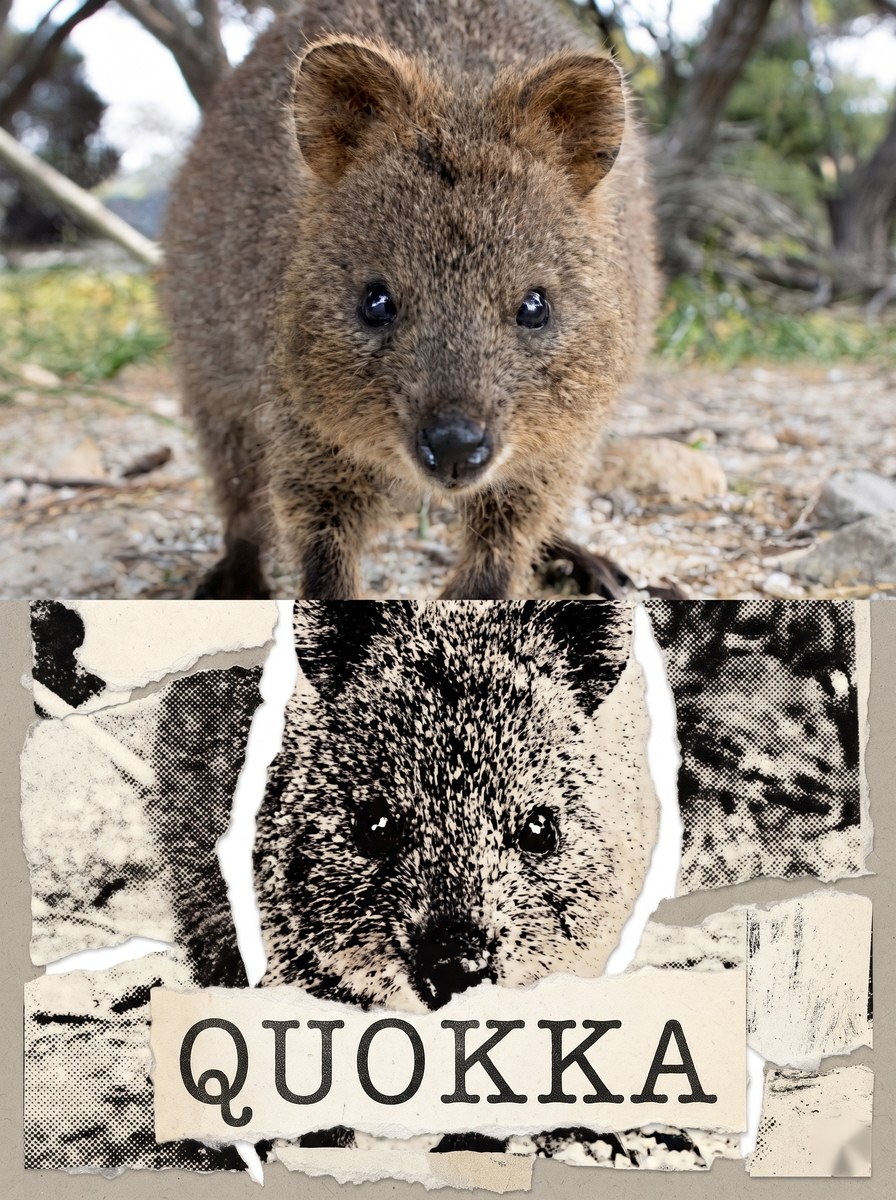
Turn an uploaded photo into a vertical poster that pairs the unchanged original photo with a torn-paper print collage of the same scene and a customizable English title.
Example outputs
Prompt template
- Format
- Text Parameterized
- Inputs
- Uploaded_photo (image) · Required title (text) · Required
- Outputs
- Poster (image)
Create a single vertical poster from the uploaded photo, divided into a top and bottom half by one horizontal boundary.

Top half
Use the uploaded photo unchanged. Preserve its photographic texture, the appearance of its subjects, its original composition, and its original colors. Do not redraw it as a painting or illustration.

Bottom half
Use only elements that actually appear in the same photo. Break the subjects, large structures, and lines crossing the space—such as roads or tracks—into multiple hand-torn paper pieces, then reassemble them. Show rough, fibrous torn edges on every piece, with a warm gray paper base and irregular white gaps between pieces.

Render contours, shadows, and dense details as a black-and-white woodcut, with coarse halftone dots and the grain of an old newspaper photocopy. Black ink lines should show pressed marks and dry-brush areas, with some sections broken where ink has failed to transfer. Do not make the effect look like a uniform filter applied across the whole image.

Preserve the original scene’s recognizable main structures, their number and direction, and their front-to-back relationships. Give the bottom half varied detail density and cropping so it looks like a physical collage print that has been edited and reassembled once more.

Color
Pick the single most prominent color from the uploaded photo and use it as the accent color in the bottom half—for example, yellow from tracks, a vehicle, a sign, or clothing. If there is no yellow, use the clearest color in the photo. Keep all other colors in the bottom half to charcoal black, gray-white, off-white paper, and faded neutrals. Do not use complementary orange-and-blue grading or a colorful gradient.

Title on paper
Place exactly one line of English title text on one piece of paper in the bottom half.

Title: ${title}

Use an uppercase English title of two or three words, placed on the paper as if screen-printed or pressed in with pencil. Do not include numbers in the title.

Failure conditions
- The top half must retain the photo’s texture and must not be redrawn as an illustration.
- The top and bottom halves must show the same scene.
- The bottom half must visibly consist of separate pieces, with at least four gaps between pieces.
- No visible text may appear other than the single title line. Do not add material codes, explanatory text, numbers, invented place names, QR codes, signatures, or watermarks.
- In the bottom half, any signs, license plates, or information boards that were present in the photo must not remain legible. Render those areas as black ink blots that obscure the text.
- No Korean or Chinese characters may be visible. The title line must be the only visible text, and it must be entirely in English.
- In the bottom half, colors other than the accent color must cover no more than 1/20 of its area.
- Do not add any people, animals, or vehicles that were not in the photo.
- Do not divide the image vertically, into a grid, or into three or more panels. Use one horizontal boundary, with the top and bottom each occupying approximately half the image.
- Do not combine multiple scenes, place the original and generated versions in corners, or produce a horizontally elongated image.

If not everything can be satisfied, reduce the detail in the bottom half. Prioritize visible torn-paper gaps and the use of exactly one accent color.

Output one image in a 3:4 portrait aspect ratio.
Replace the ${…} placeholders with your values
before using this prompt. See parameters
and defaults below
Parameters
Replace each placeholder with your own value, or use its default when one is provided
${title}
title
Required
What you'll create
The source photograph fills the top while real scene elements become hand-torn pieces below. Rough fibers, white gaps and a warm-gray base emphasize the tactile collage process.
Frequently asked questions
Can unrelated objects enter the collage?
No. Only elements already present in the photo are used.
How many accent colors are requested?
Exactly one.







Comments
Tried this prompt? Share what you made, compare results, or ask a question