Vintage Torn-Paper Screen-Print Poster
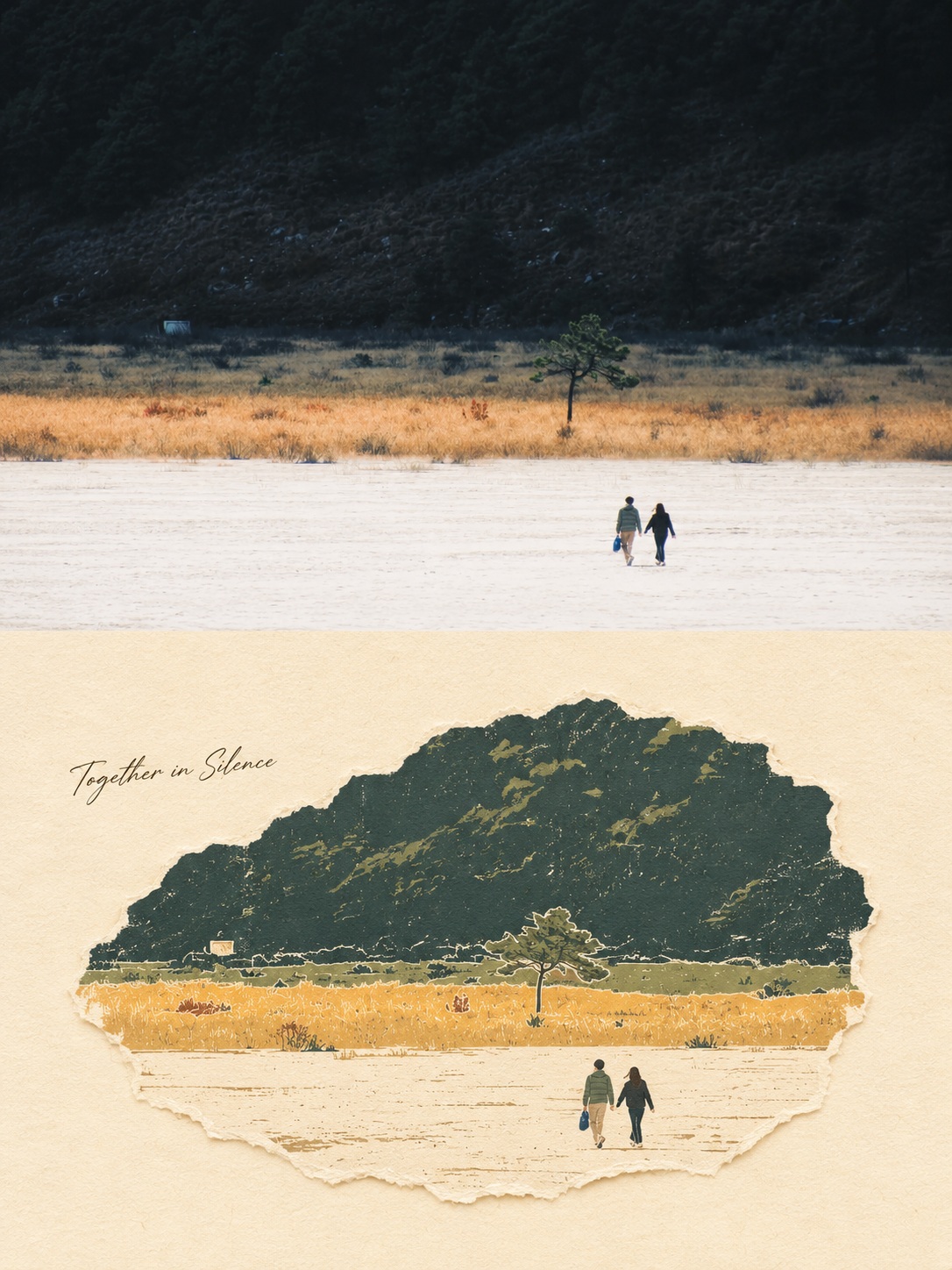
Transform a photo into a muted vintage torn-paper collage and screen-print poster, paired with the unchanged original in a vertical comparison layout.
Example outputs
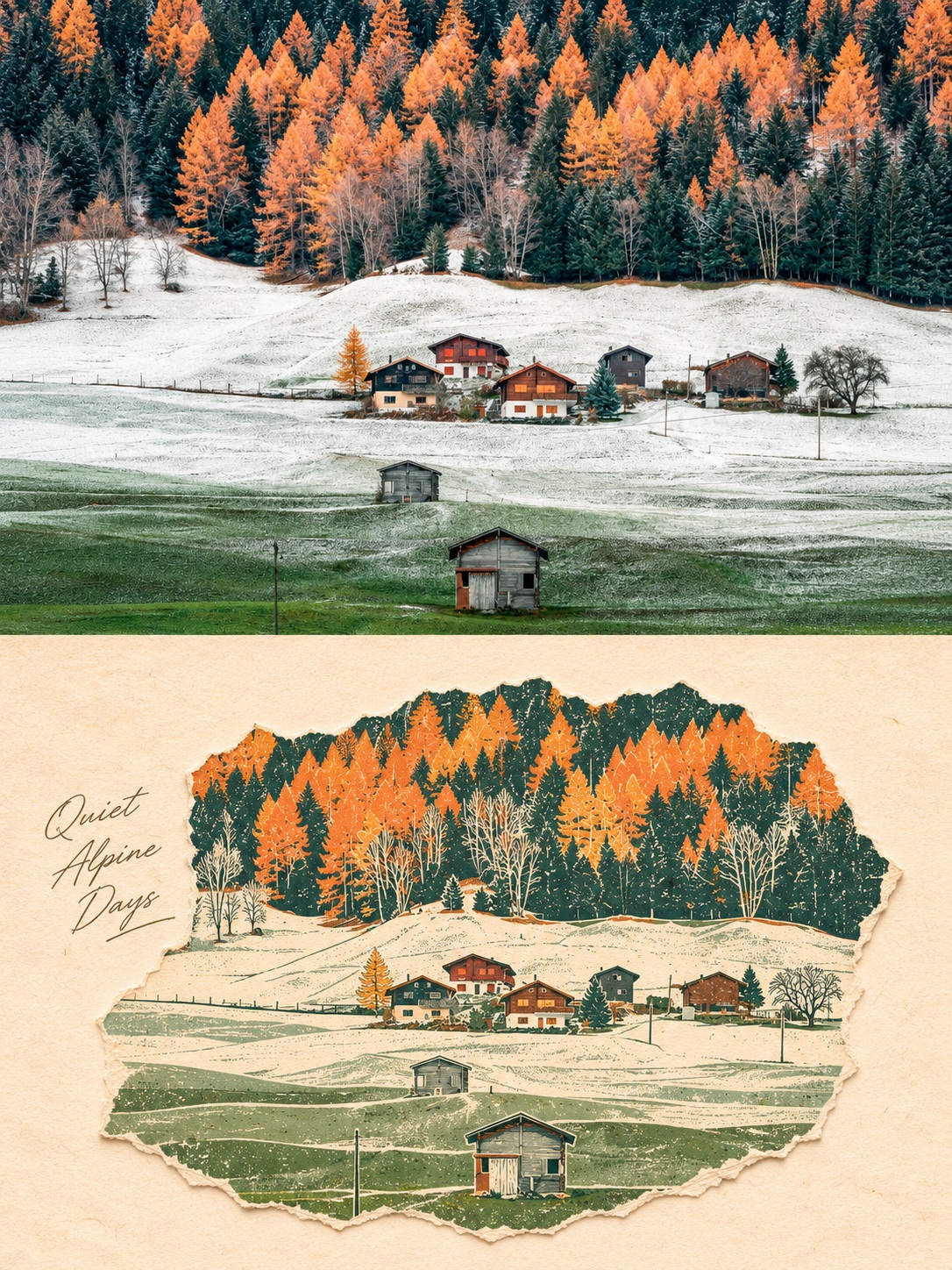
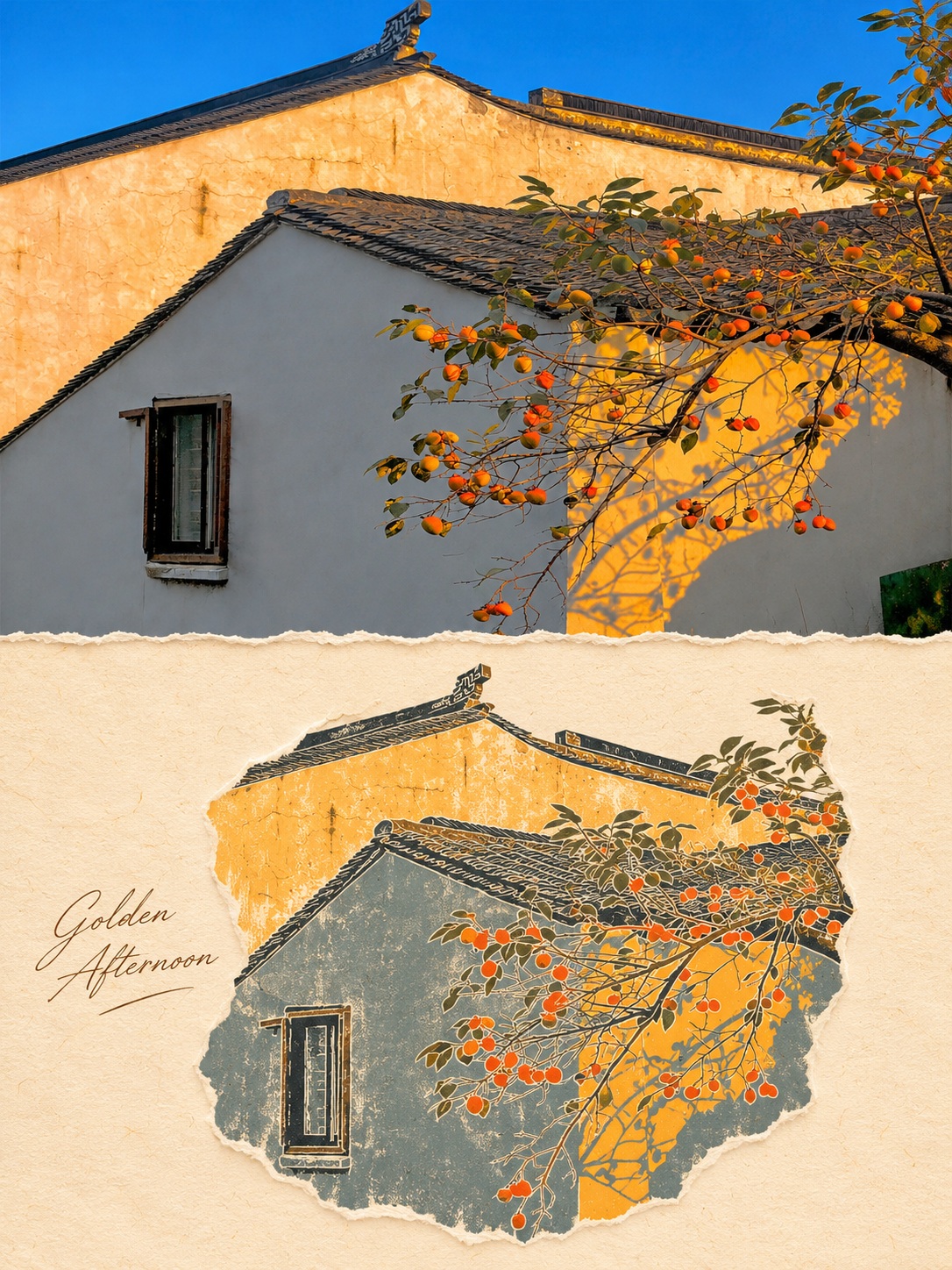
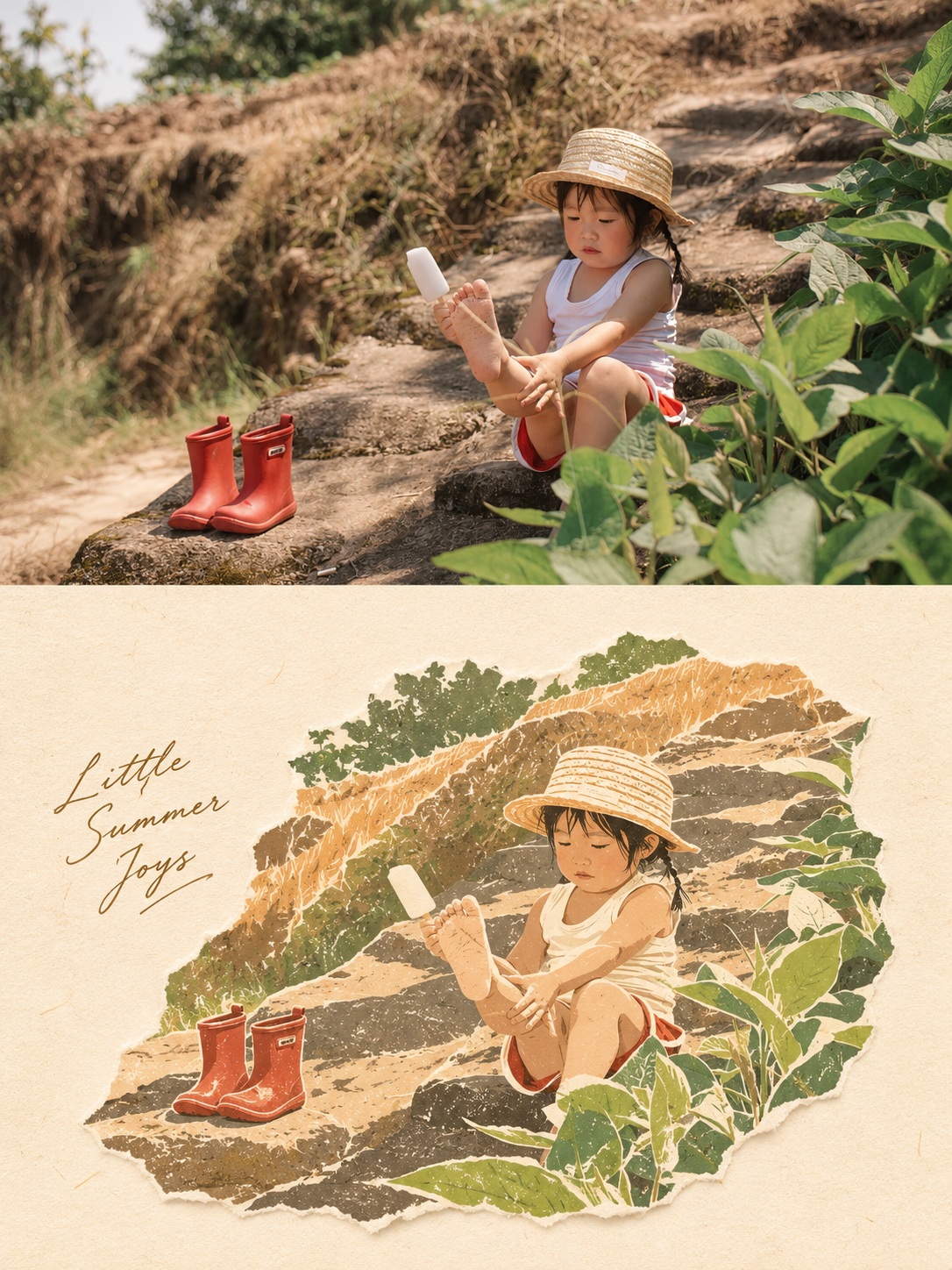
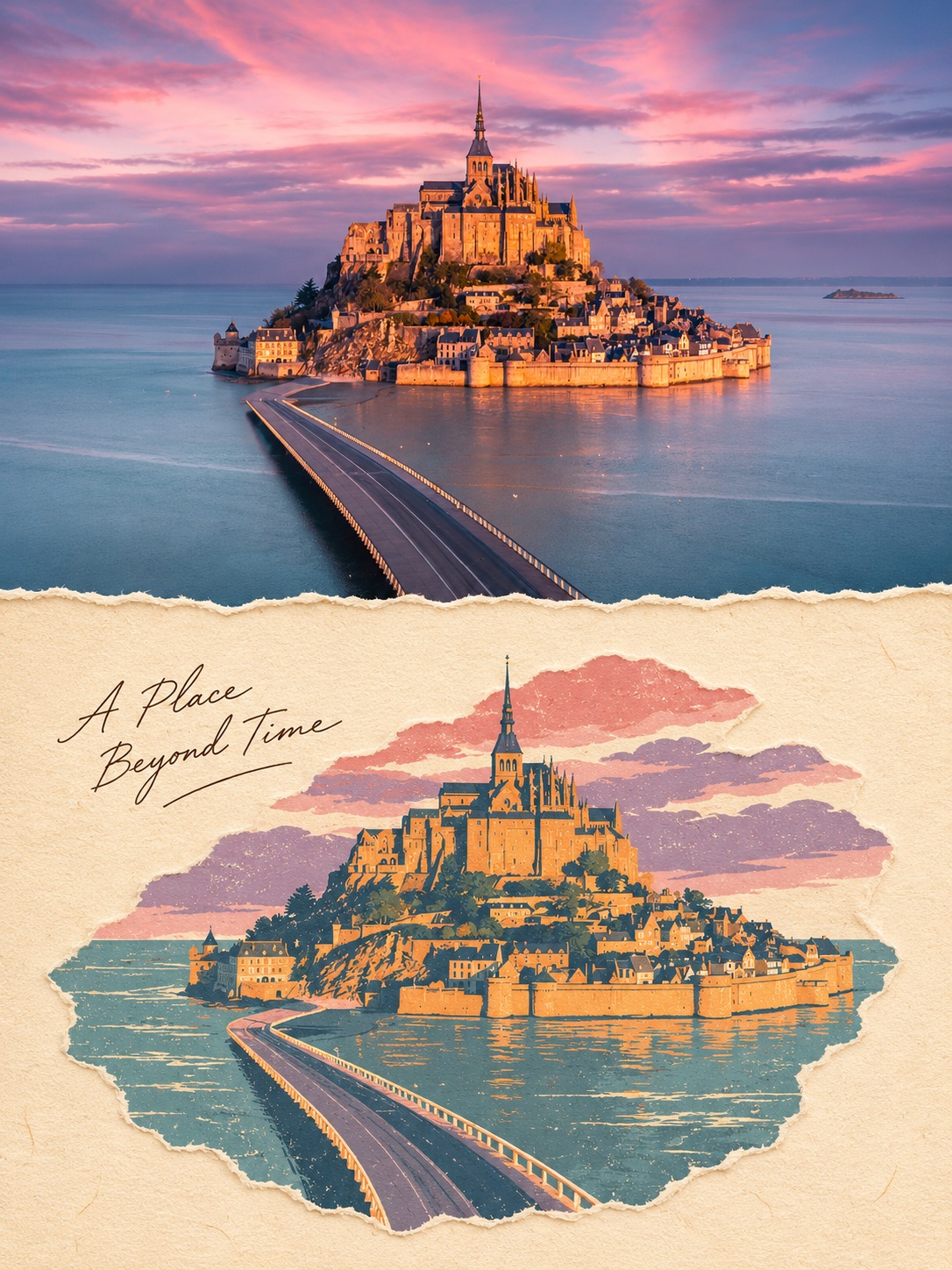
Prompt template
- Format
- Text Parameterized
- Inputs
- SourcePhoto (image) · Required short_phrase (text) · Required
- Outputs
- ComparisonImage (image)
Transform the uploaded photo into an art poster in a “vintage torn-paper collage × screen-print” style.

Preserve the positions, proportions, viewpoint, and spatial relationships of the main objects in the photo so the original scene remains clearly recognizable. Preserve distinctive architectural silhouettes. For people, retain their original poses, clothing, and appearance; do not add people or unrelated objects.

Simplify complex details into clean, flat color shapes. Extract 4–6 main colors from the original photo and adjust them into a soft, slightly faded vintage palette. Add naturally irregular torn-paper edges, paper fibers, distressed ink, fine grain, and occasional exposed white areas. Leave small paper-white gaps between color shapes. Keep the texture delicate and restrained; avoid heavy three-dimensional shadows.

Use warm off-white art paper for the background. Let the illustration end in a naturally irregular outline, not a rectangular frame. Leave generous whitespace around it to create the quiet, gentle feel of a travel keepsake print.

In the whitespace to the left of the illustration, add the short phrase “${short-phrase}” in thin, natural handwriting, without covering the subject. If no short phrase is provided, do not add text.

Create a vertical 3:4 comparison image: show the original photo in the upper half and the print-style transformation of the same scene in the lower half. Make the subjects in the two halves clearly correspond. Crop the original photo only as necessary; do not alter its content.

Avoid watercolor washes, thick oil-paint texture, 3D effects, plastic-looking surfaces, excessive saturation, dense decoration, extra logos, and watermarks.
Replace the ${…} placeholders with your values
before using this prompt. See parameters
and defaults below
Parameters
Replace each placeholder with your own value, or use its default when one is provided
${short-phrase}
short-phrase
Required
What you'll create
Create a vertical comparison featuring the original photo in the upper half and a print-style transformation of the same scene in the lower half. The transformation uses a muted vintage palette, irregular torn-paper edges, and warm off-white paper; an optional short handwritten phrase sits in the left whitespace.
Usage instructions
Frequently asked questions
What should I provide?
Provide the photo to transform. A short phrase is optional; leave it blank to omit lettering.
Will the original photo be included?
Yes. The prompt places the original photo in the upper half and the transformed version of the same scene in the lower half, allowing only necessary cropping of the original.






Comments
Tried this prompt? Share what you made, compare results, or ask a question