Split-Panel Halftone Sticker Poster
Create a vertical editorial poster with the uploaded photograph preserved above a vintage halftone screen-print sticker illustration of its subject.
Example outputs
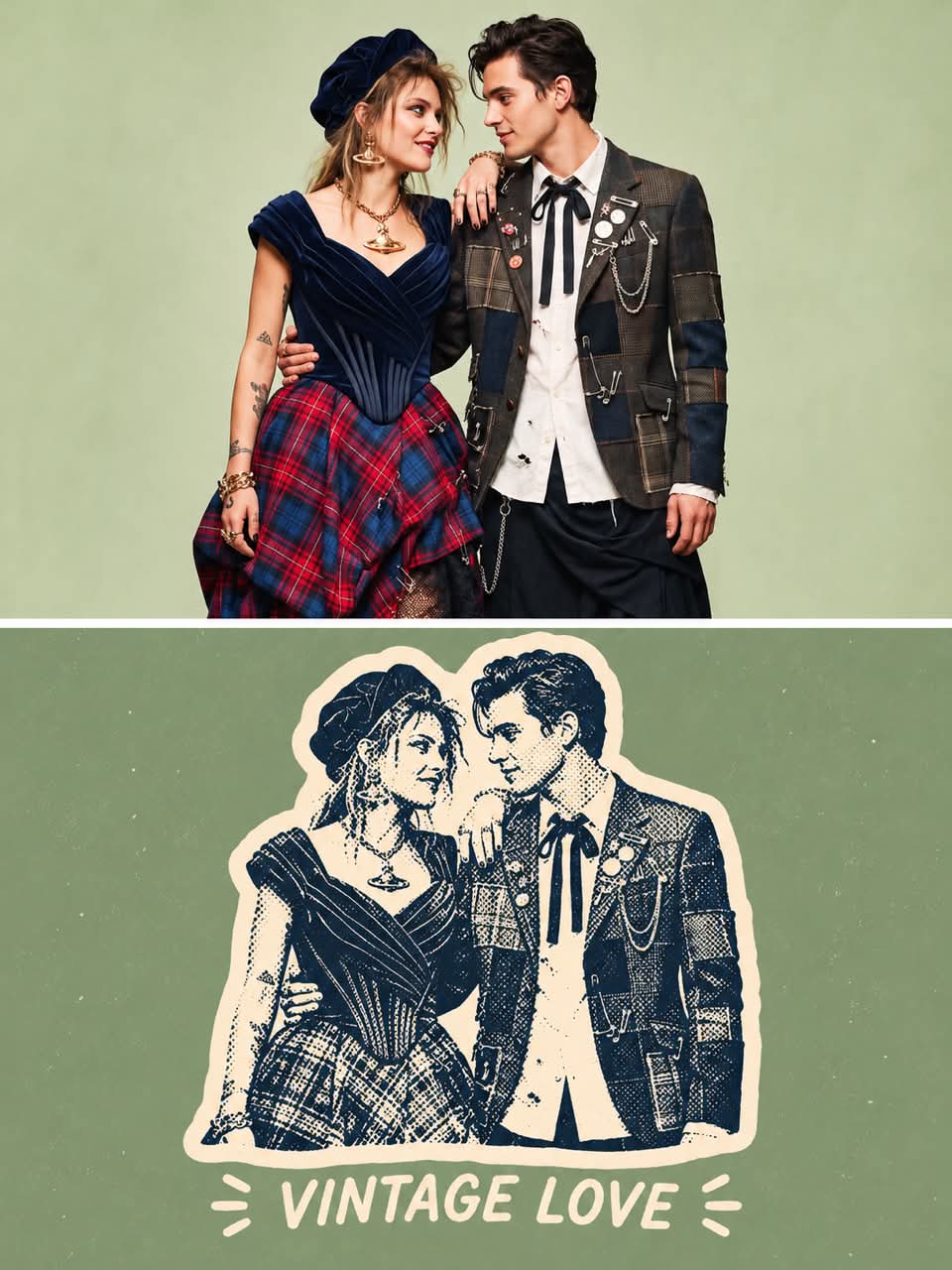
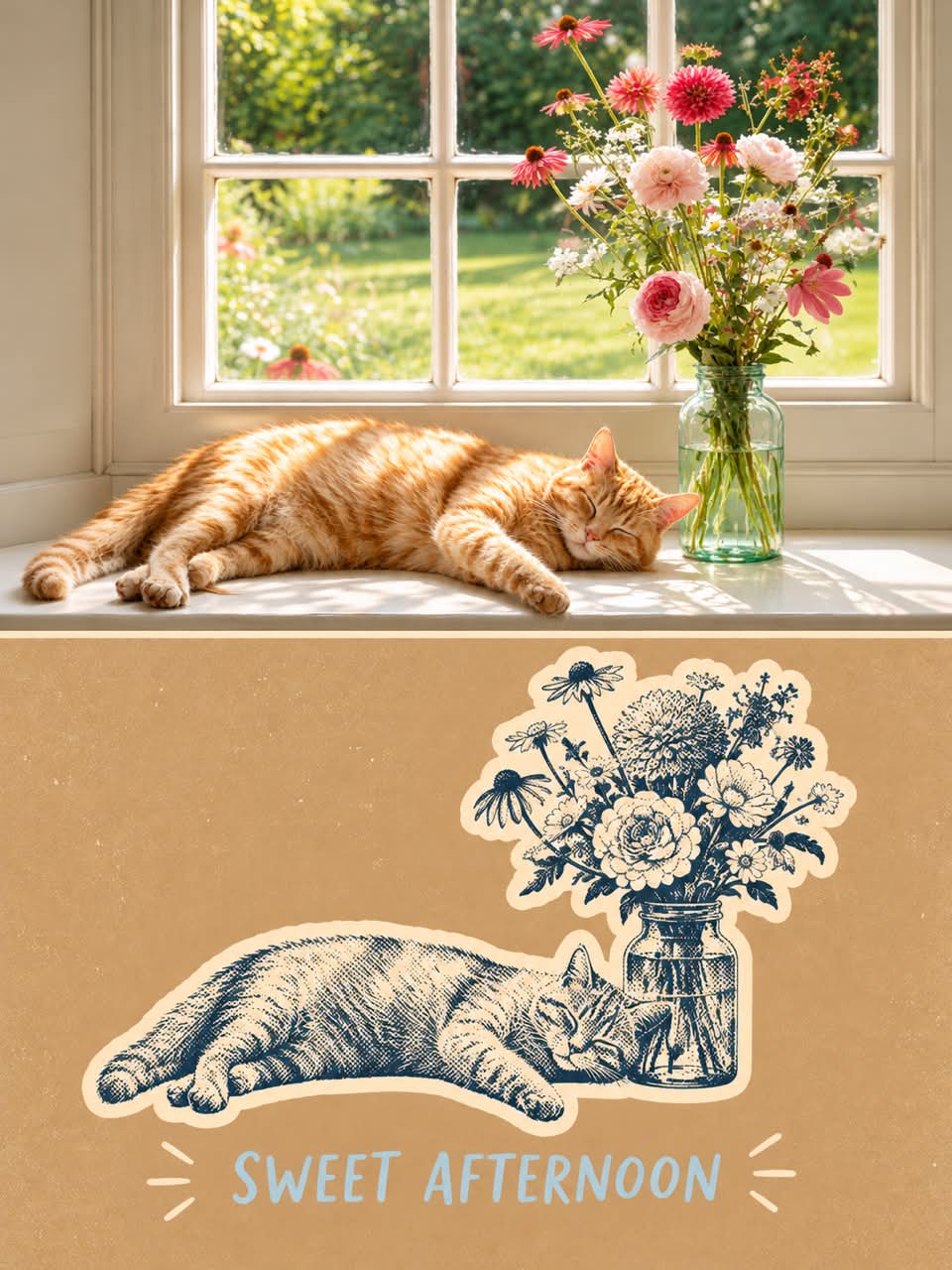
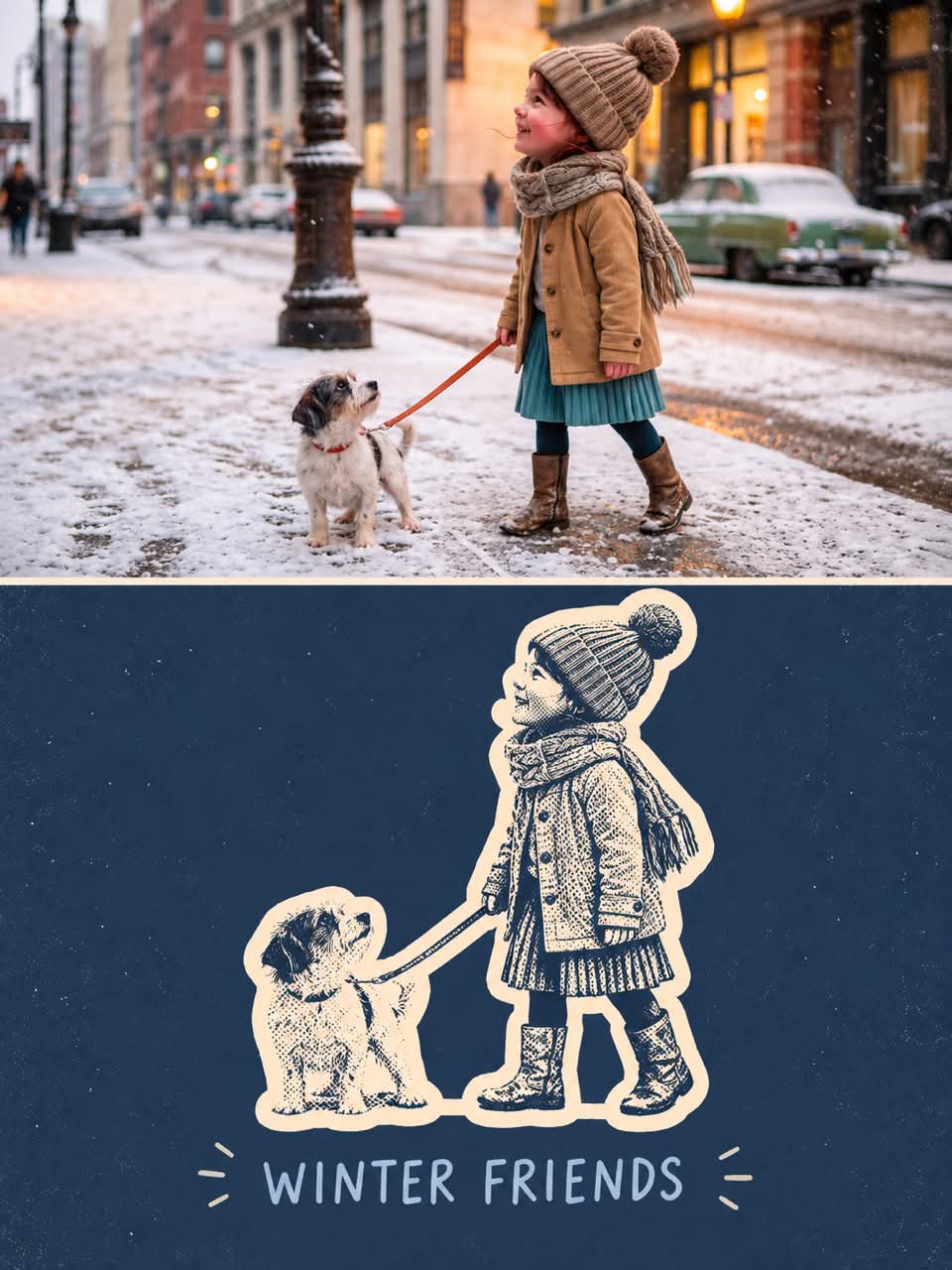
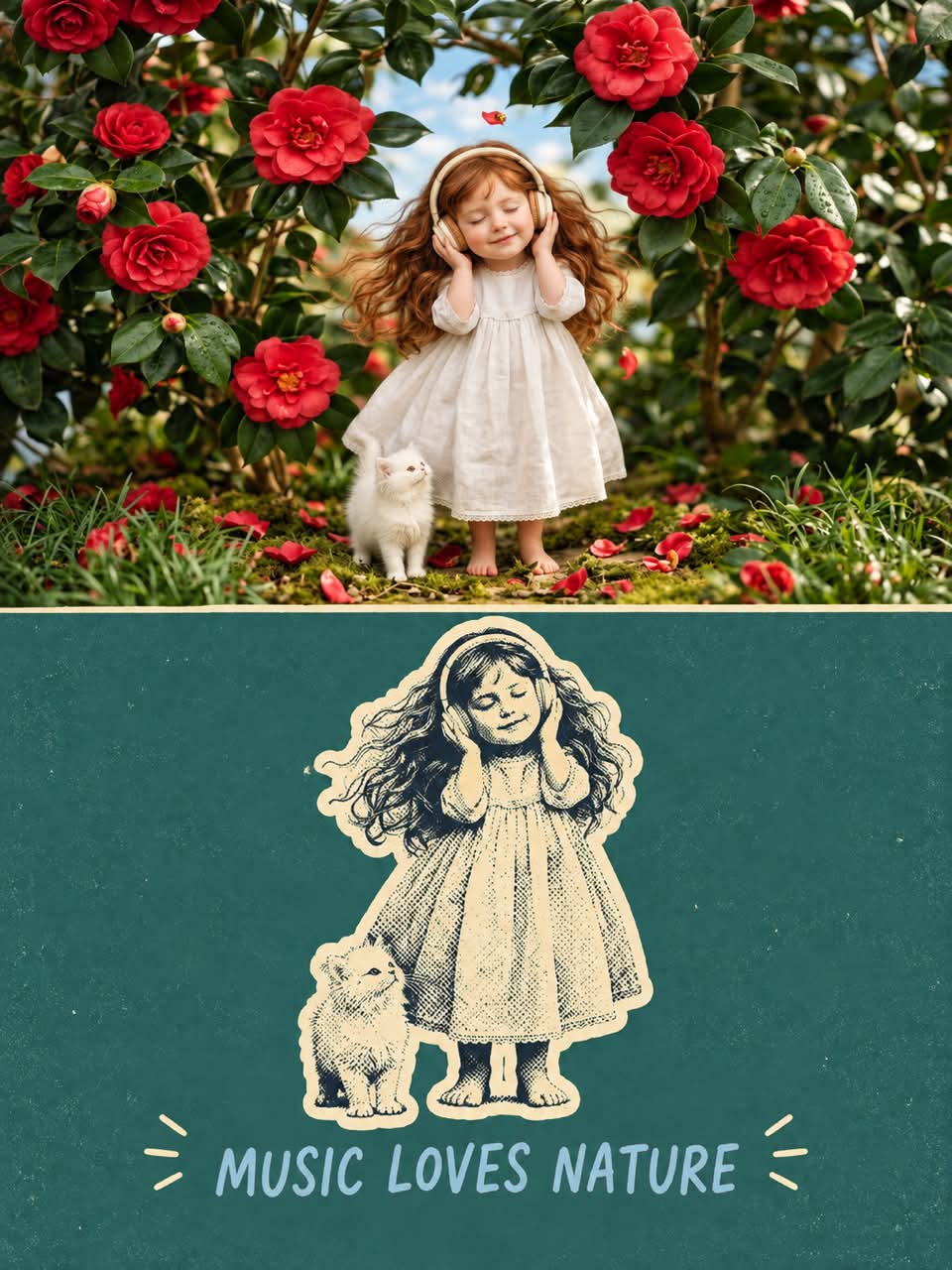
Prompt template
- Format
- Markdown
- Inputs
- Uploaded_photo (image) · Required
- Outputs
- Poster (image)
Create one independent high-end editorial poster for each uploaded photo. Do not combine multiple photos into a collage. Process and output each photo as a separate poster.

## Overall format
- Use a strict 3:4 vertical composition.
- Divide the canvas horizontally into two exactly equal sections, with a precise 1:1 height ratio. The top and bottom each occupy exactly 50% of the canvas.
- Make the two sections feel visually connected as one refined art publication cover.

## Top half — original photograph
- Preserve the original photograph as faithfully as possible. Keep the main composition, subjects, identity, facial features, body proportions, poses, expressions, clothing, objects, and spatial relationships unchanged.
- Preserve the realistic photographic texture, natural lighting, shadows, atmosphere, and original color mood.
- Apply only subtle, sophisticated editorial color grading, creating the feeling of a premium magazine photograph, contemporary art book, or high-end independent publication.
- Keep the image photorealistic and authentic, never overly retouched or artificially stylized.
- If necessary to fit the 3:4 composition naturally, extend the sky, ground, walls, or surrounding environmental background. Make any background extension seamless and photographic.
- Never stretch, distort, reshape, replace, or alter the main subject.

## Bottom half — vintage halftone sticker illustration
Transform the uploaded photograph into a charming retro halftone screen-print illustration with a playful, handmade vintage poster aesthetic.

### Subject and composition
- Use the uploaded photo as the primary reference. Preserve the subject's recognizable identity, distinctive features, expression, pose, and proportions.
- Isolate the main subject from its original background and transform it into a bold, high-contrast, two-tone illustration using intricate halftone dots, crosshatching, and vintage newspaper-style engraving textures.

### Illustration style
- Use a retro 1960s–1970s screen-print and risograph aesthetic.
- Use dense black ink textures with irregular halftone dots and fine crosshatched details.
- Create strong contrast between deep navy-black shadows and warm cream highlights.
- Include slightly distressed ink, imperfect printing, and organic handmade texture.
- Simplify shapes while preserving recognizable facial features and important details.
- Avoid smooth gradients, glossy surfaces, and photorealistic rendering.

### Cutout effect
Surround the illustrated subject with a thick, irregular warm ivory silhouette border resembling a hand-cut vintage sticker. Keep the border slightly uneven, organic, and playful.

### Background and color
- Use a solid background. Extract the dominant red colors directly from the original photograph.
- Compress the palette into no more than 4 main colors. Keep the colors restrained, sophisticated, and harmonious.
- Use bold but controlled flat color blocks, with subtle grain, scattered tiny speckles, and aged paper texture. Keep the background minimal, flat, and uncluttered.

### Typography
Add one short, playful word or phrase beneath the illustration, inspired by the subject. Use casual, hand-lettered uppercase typography in soft powder blue, with slightly irregular strokes and a nostalgic handmade appearance.

## Final look
Create a bold, quirky, minimalist vintage graphic suitable for an art print, greeting card, T-shirt, or collectible sticker. Use a centered composition, generous negative space, a limited three-color palette (midnight navy, warm ivory, powder blue), authentic screen-print imperfections, and a charming retro editorial feel.

Format: vertical 3:4 composition.

Avoid photorealism in the illustration, smooth digital shading, 3D effects, glossy textures, realistic backgrounds, modern vector gradients, excessive colors, and overly clean digital edges.
What you'll create
A vertical poster divides into two equally high panels: the original photograph above and a stylized sticker interpretation below. Screen-print imperfections and restrained colors connect the realistic upper image with a distinctly illustrated lower half.
Usage instructions
Upload the photograph that should appear in the poster; each photo is processed as its own poster, not combined into a collage. The prompt preserves the photo in the top half and turns its subject into a sticker illustration in the bottom half. The color directions conflict: one asks for extracted reds, while another specifies midnight navy, warm ivory, and powder blue; resolve that palette choice before using the prompt if consistency matters.
Frequently asked questions
Can several uploaded photos become one collage?
No; each uploaded photograph receives its own independent poster.
How much space does each panel occupy?
The upper and lower sections each occupy exactly half the canvas height.



Comments
Tried this prompt? Share what you made, compare results, or ask a question