Impressionist Oil-Painting Diptych Poster
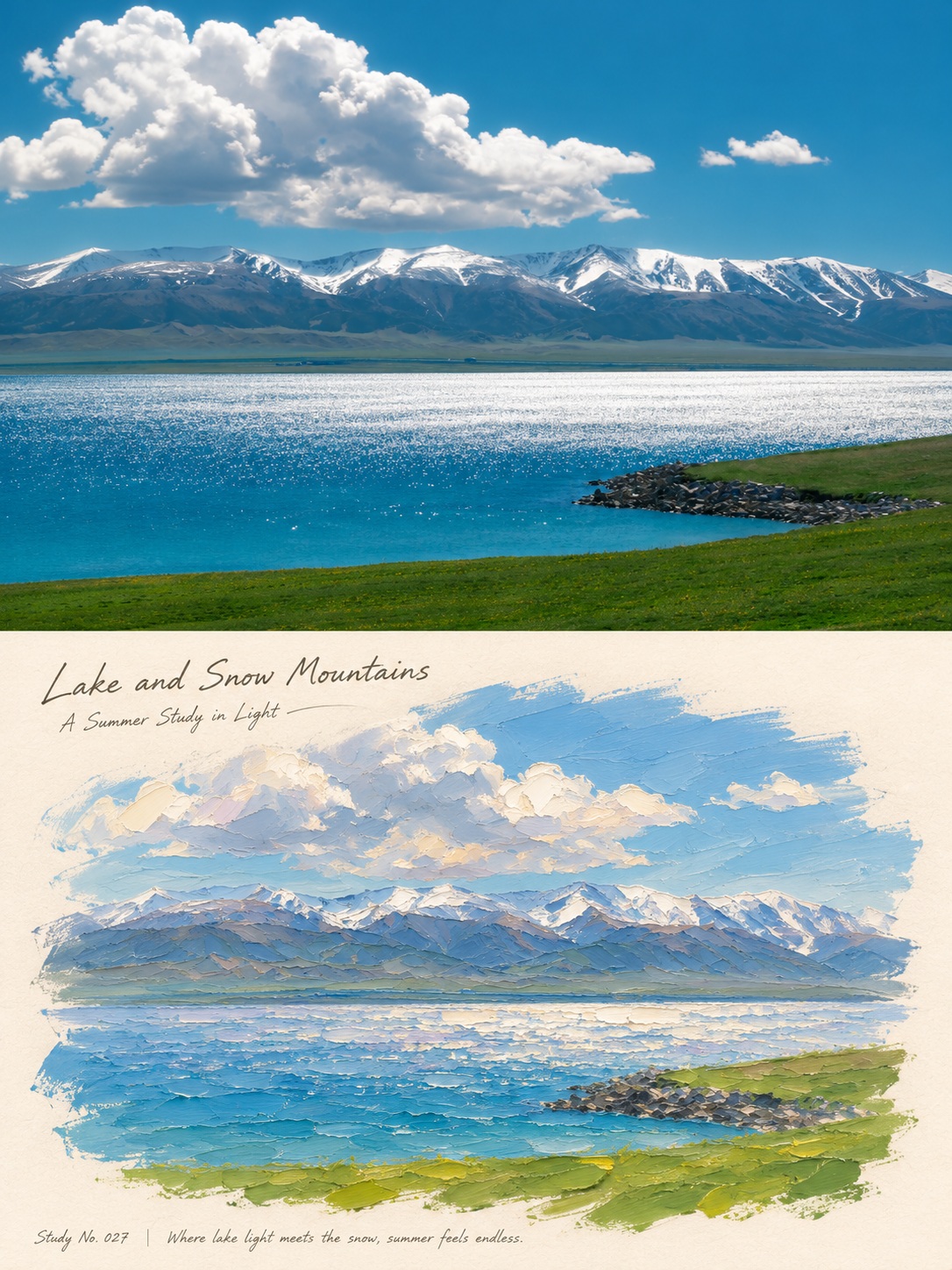
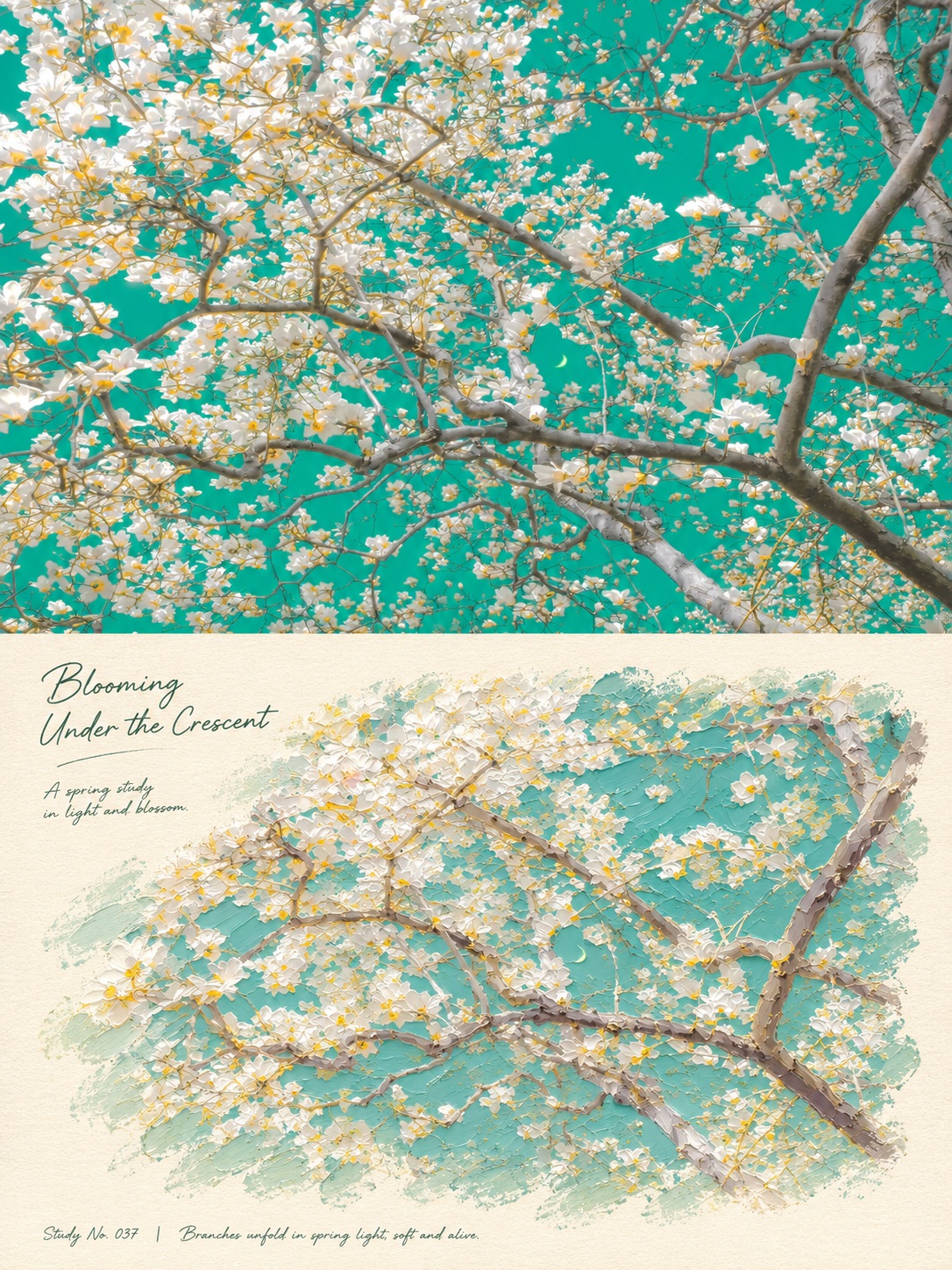
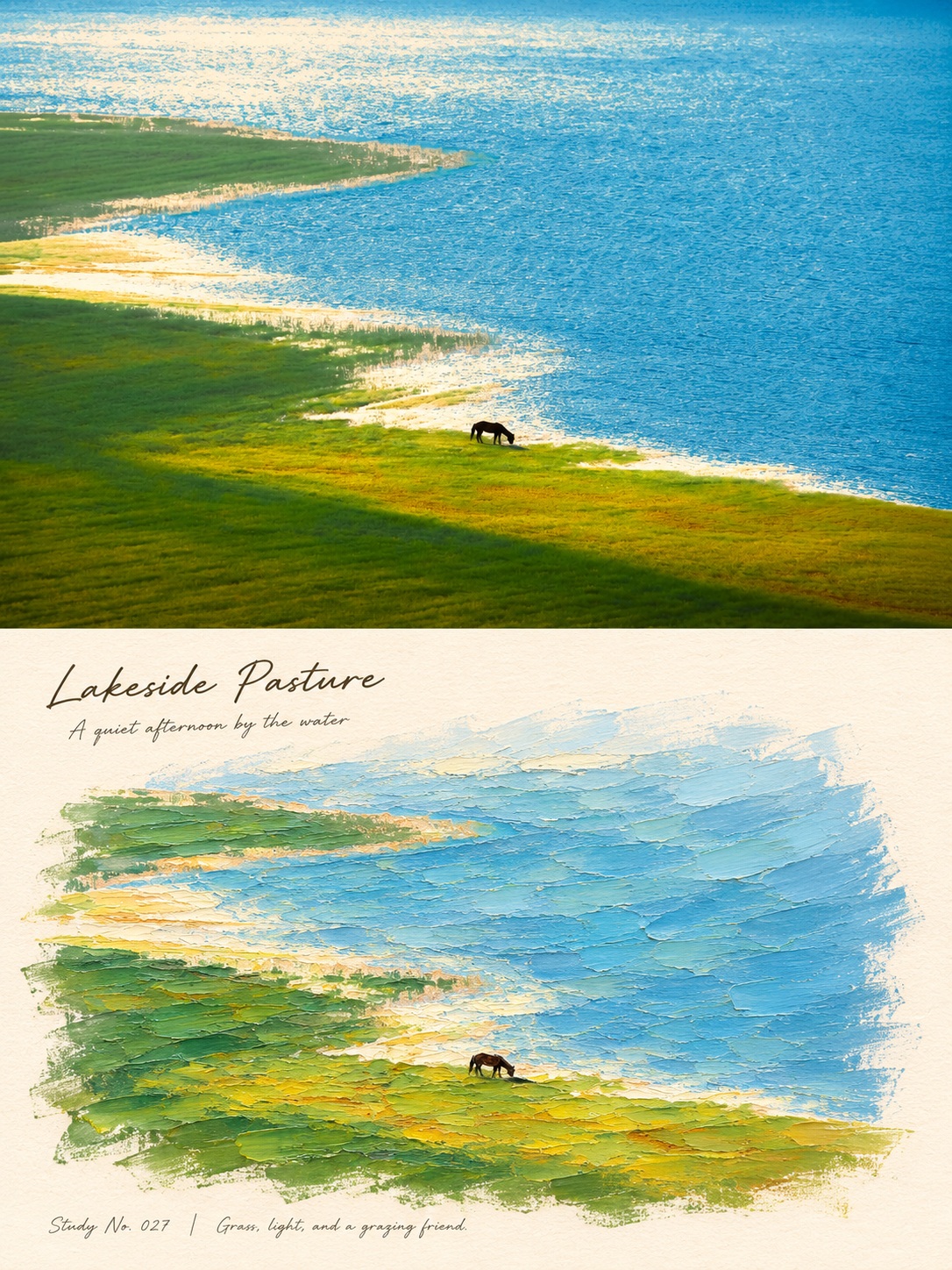
Create a vertical diptych poster pairing the uploaded photograph with an impressionist palette-knife oil painting of the same scene.
Example outputs
Prompt template
- Format
- Text
- Inputs
- Reference_photo (image) · Required
- Outputs
- Diptych_poster (image)
Create a standalone art diptych poster based on the uploaded photo, in a strict 3:4 portrait format, with the upper and lower sections each occupying 50% of the image and a clean, straight division at the center. Do not blend different photos. If the input is a screenshot, extract only the artwork itself and remove platform interfaces, account details, carousel numbers, and watermarks.

Fill the upper section edge to edge, from the top and both sides to the center line, with the original photo. Preserve the subject’s identity, outline, structure, quantity, position, proportions, perspective, action, materials, environment, depth of field, and natural lighting and colors. Only allow necessary proportional cropping, background extension, and very subtle color adjustment. Do not replace or rearrange anything, and do not turn the photograph into an illustration.

In the lower section, use warm creamy-white, finely fibrous paper as the background and reinterpret the same scene as an impressionist oil painting with thick palette-knife strokes. Preserve the correspondence between the subject and the original composition. Simplify details using broad, short scraping strokes, juxtaposed broken colors, and directional brushwork. Use thin paint for the distant background and moderately thick paint on the subject; use clearly built-up blocks of pigment in the foreground and highlights, with raised edges, knife marks, ridges, layered texture, and subtle side-lit shadows. Derive the palette from the original photo, adding coordinated light tones for brightness without changing its overall color impression.

The oil painting must be a flat artwork painted directly on paper, not a 3D miniature landscape, paper model, or watercolor filter. Center it in the lower section, with ample surrounding whitespace and naturally irregular brush edges formed by loose dry brushing, gaps, and exposed paper. Do not use a rectangular frame, torn-paper edges, or curled edges. The sky and background may fade softly into the paper, while the subject remains recognizable.

Create a short, meaningful English title and small subtitle based on the photo. Place them in the blank area at the upper left of the lower section, using a natural, fluid handwritten font. A small study number and one short note about the scene may be placed at the bottom. Adapt the wording and placement to each image; do not use a fixed place name or sentence pattern. Do not cover the subject or generate garbled text.

Keep the overall result fresh, quiet, and delicate, with the feel of a travel art book and a studio study. Do not add geometric decorations, extra objects, or additional or missing subjects. Avoid dense text, frames, books, gallery walls, and display mockups.
What you'll create
The source scene fills the upper half while expressive brushwork transforms the corresponding lower scene. A clean center division and quiet travel-art-book mood preserve the original subject relationships.
Usage instructions
Provide the photograph whose scene should appear in both halves; if it is a screenshot, the prompt directs the model to isolate the artwork. The upper half preserves the photo while the lower half translates it into a textured oil painting, so use a clear reference with a composition you want retained. You can adjust the lower half’s palette-knife texture by changing the requested brushwork emphasis.
Frequently asked questions
Is this a framed painting on a gallery wall?
No. Frames, walls and display mockups are excluded.
Can screenshot interface elements remain?
No. The artwork should be isolated from platform interfaces and account details.


Comments
Tried this prompt? Share what you made, compare results, or ask a question