Turn a Photo into Origami Art
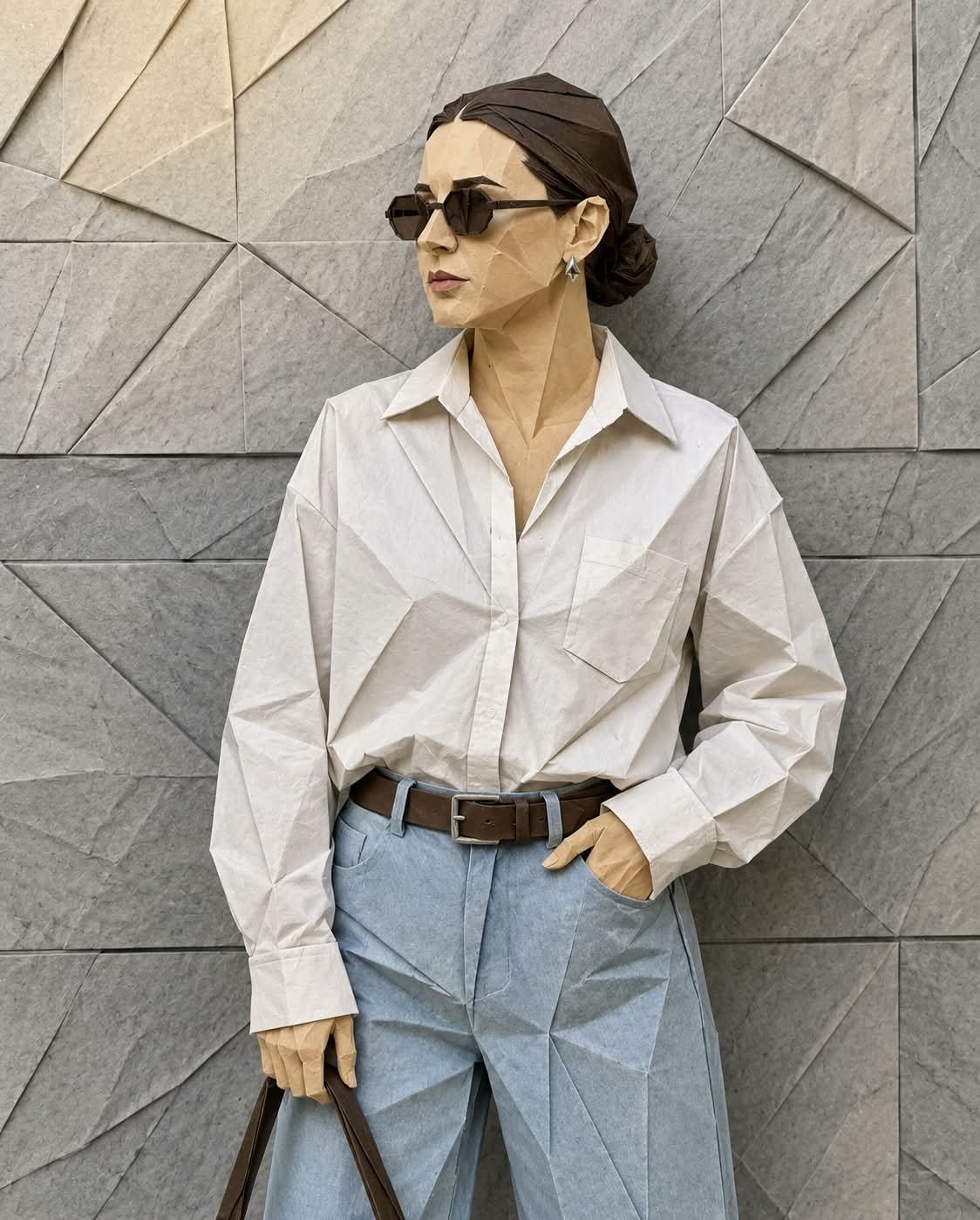
Transform a reference photo into a detailed origami-style image, preserving its color palette and rendering the subject in realistic folded paper
Example outputs
Prompt template
- Format
- Text
- Inputs
- Reference_photo (image) · Required
- Outputs
- Origami_style_image (image)
Create a hyper-detailed version of this photo in an origami style, folded from high-quality paper with crisp, neat edges and realistic paper texture. Use intricate geometric folds to convey the character’s distinctive shape and facial expression. Use the same color palette as the reference photo.What you'll create
This prompt transforms a reference photo into a hyper-detailed origami-style artwork. It emphasizes crisp geometric folds, realistic paper texture, and the photo’s original color palette
Usage instructions
Provide the photo you want to transform; it serves as the reference for the subject, expression, and color palette. The folds and paper texture establish the origami treatment, so adjust those details in the prompt if you want to emphasize a different paper effect
Frequently asked questions
What creates the origami effect?
Intricate geometric folds, crisp paper edges, and realistic paper texture define the requested look




Comments
Tried this prompt? Share what you made, compare results, or ask a question