Handsome Man in a Red Studio
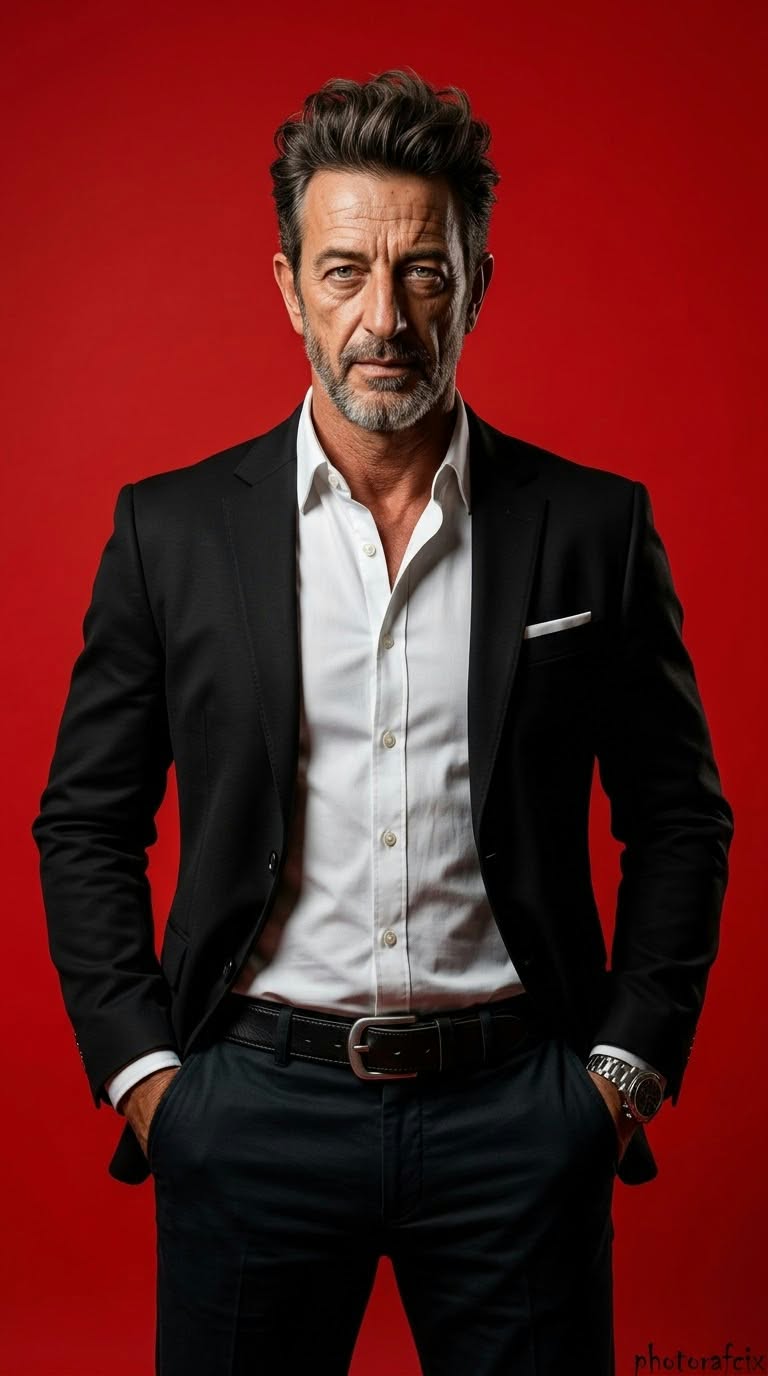
Create a cinematic, photorealistic 3D editorial portrait of a man against a vivid red studio background, using a reference image to preserve his face.
Example outputs
Prompt template
- Format
- Text Parameterized
- Inputs
- Reference_image (image) · Required signature (text) · Optional · Default: Photorafcix
- Outputs
- Portrait (image)
Use the face from the reference image without changing it. Create a cinematic, ultra-realistic 3D image with strong perspective, full-length framing, 8K RAW, HDR, vivid colors, and a vertical 9:16 composition.

Subject and composition: A modern editorial portrait shot in a studio in front of a vivid red background. Depict a handsome, athletic man with short, voluminous dark hair styled upward and light stubble. He looks directly at the camera with a serious, sharp, determined expression. His posture is upright and authoritative, with both hands in his trouser pockets, shoulders back and broad. Center the subject and frame him from above the knees. Give him a masculine, strong, charismatic presence.

Clothing: A fitted, classic-cut dark navy or black blazer with a white pocket square in the left breast pocket. Under it, a white shirt with the top buttons open and slight wrinkles. Add a black leather belt with a large silver-colored buckle, dark trousers, and a metallic watch on his left wrist.

Lighting and shadows: Use hard, dramatic studio lighting. The key light comes from the left, illuminating the left side of his face, his shirt, and blazer, while creating deep shadows on the right side of his face, his neck, and his clothing. Add a subtle color reflection from the background.

Background: Use a completely plain, bright, vivid red studio backdrop with no distracting elements.

Color palette: Use high-contrast colors: vivid red for the background, dark navy or black for the suit, white for the shirt, and natural skin tones.

Lens and depth of field: Use a wide depth of field so the subject and background are sharp. Give the image the effect of a 50 mm or 85 mm portrait lens.

Texture and technical quality: Make the image ultra-realistic, with clearly visible blazer fabric, shirt wrinkles, and skin texture. Use high resolution, sharp detail, and cinematic quality. Add the handwritten signature “${signature:Photorafcix}” in the bottom-right corner.

Each time, let the AI determine the clothing colors, movements, poses, camera angles, and artistic effects with completely original, unlimited creativity.
Replace the ${…} placeholders with your values
before using this prompt. See parameters
and defaults below
Parameters
Replace each placeholder with your own value, or use its default when one is provided
${signature:Photorafcix}
signature
Default: Photorafcix
What you'll create
A reference-guided man stands with both hands in his pockets, shoulders back and gaze direct. A white pocket square and open white collar contrast with a navy-black blazer against saturated red.
Usage instructions
Provide the reference image whose face should be preserved. The prompt specifies both full-length and knee-up framing; choose which framing matters more if the image generator cannot satisfy both. The signature text defaults to “Photorafcix” and can be changed if needed.
Frequently asked questions
Is the crop defined consistently?
No. Full-length and above-knee framing are both specified.
Is the shirt collar buttoned tightly?
No. The top buttons are open.


Comments
Tried this prompt? Share what you made, compare results, or ask a question